 Baltic Dev
Choose a failure and set recovery targets
Describe what failed, what remains available and what the exercise excludes. In an illustrative document library, the database is lost while file storage survives. A test user must open a known document and save a new one to the isolated copy. Agree on a drill owner, expected results and the evidence location before starting.
The recovery time objective (RTO) sets how long you can take to resume the required workflow. The recovery point objective (RPO) sets how far back the data can go. In the sample library, the objectives are 60 and 15 minutes. If simulated failure begins at 10:00 UTC and the latest verified restored data is from 09:47, the observed data loss window is 13 minutes. If the workflow passes at 10:48, the observed recovery takes 48 minutes. Both fall within the illustrative objectives. Document the restored data timestamp separately from the backup file's creation time.
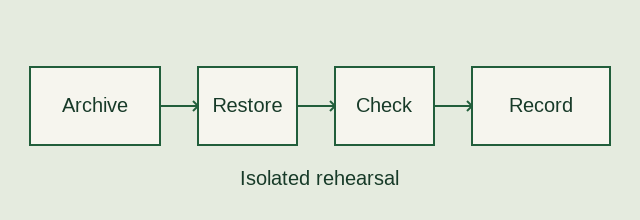
Prepare an isolated target
Use an authorized, disposable environment with separate storage and test accounts. Apply the appropriate access and retention controls to protected data. Check the database and tool versions, configuration revision, extensions, space and access to the trusted archive. Disable outbound integrations or route them to controlled test sinks. Record preparations done before timing and note any required access that would be unavailable during the simulated failure.
For PostgreSQL, pg_restore works with the non-plain formats produced by pg_dump. The --list option shows the archive's table of contents and can help check expected objects before an import. A listing does not read and validate all restored data. PostgreSQL warns that restoring a dump can execute SQL chosen by privileged users of the source. Use a trusted archive and confirm the destination independently before connecting. For a plain SQL dump, follow the version-specific workflow in the PostgreSQL documentation.
Check behavior as well as structure
Record the tool's exit status and any errors. In a drill where a first SQL error should stop the run, pg_restore --exit-on-error provides that behavior. A stopped run can still leave prior changes in the disposable target. Start a fresh target for each attempt so a retry does not quietly inherit objects or rows from a previous import. If creation of an isolated target or access to a trusted archive cannot be confirmed, the rehearsal is blocked at that step.
Record separate timestamps for retrieval, import, dependency startup and workflow verification. Start dependencies in the order the runbook specifies. A row count or migration state check helps confirm the restored structure. Verify a known record and a relationship that must exist, then open a document with the usual test role, save a synthetic document and confirm the write survives a fresh session in isolated storage. Check that a lower-privilege test role receives the expected denial. If a queued job belongs to the scenario, verify that it reaches its test sink. A logical dump of one database omits cluster-wide roles and tablespaces, so verify any separate recovery process for dependencies you need.
Leave evidence the next reader can use
Compare the measured recovery time and data age with the objectives. Keep the archive identifier, versions, timings, evidence reference for each check and cleanup result. Give every failure or skipped check an owner, a due date and a retest condition. Use the database restore checklist to prepare the import and the workflow recovery drill worksheet to capture the scenario and results. A different failure or dependency set needs its own rehearsal before you can make the same recovery claim.